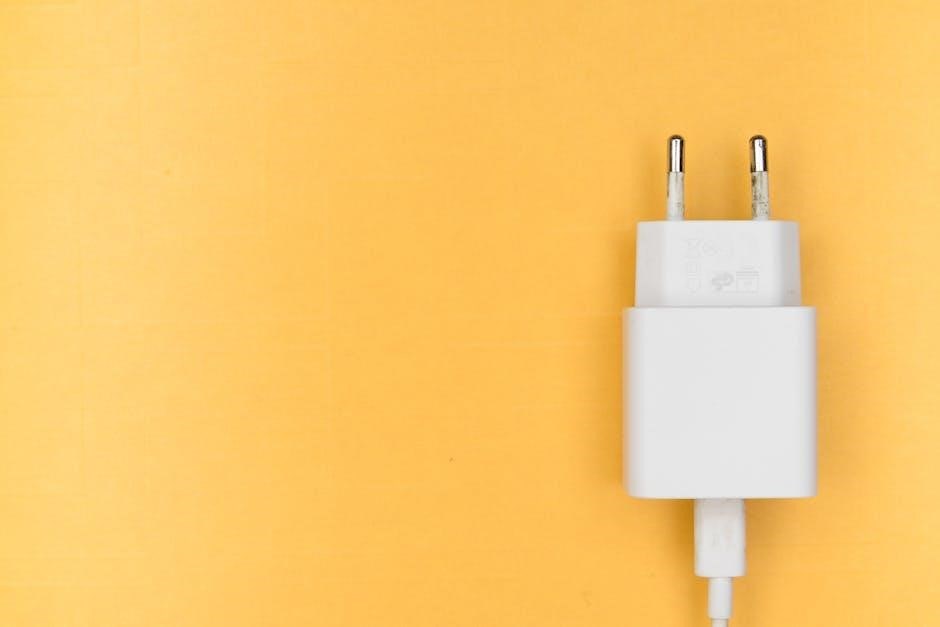
Lester Summit 2 Charger Manual: An Overview
Lester’s Summit II series offers reliable charging for various battery types‚ including wet/flooded models. This manual provides essential guidance for operation‚ troubleshooting‚ and maintenance.
The Lester Summit 2 charger represents a significant advancement in golf cart and electric vehicle battery charging technology. Designed for both on-board and off-board applications‚ it caters to a wide range of battery chemistries‚ primarily focusing on flooded lead-acid batteries‚ but also adaptable with proper profile selection.
This charger series‚ including the Summit and Summit II models‚ is renowned for its durability and accurate charging capabilities. Its ferroresonant (ferro) design‚ as seen in the Lestronic II line‚ ensures proven reliability. The Summit 2 incorporates smart charging features‚ often controllable via Bluetooth‚ allowing users to monitor and adjust charging parameters.
Understanding the specific functionalities and settings‚ as detailed in the user manual‚ is crucial for optimal performance and longevity of both the charger and the connected battery pack; Proper usage prevents faults like over/under voltage limits and ensures efficient charging cycles.
Key Features of the Summit 2 Charger
The Lester Summit 2 boasts several key features enhancing its usability and performance. Bluetooth connectivity allows for remote monitoring and customization of charging profiles via a dedicated mobile application. This enables users to adapt the charger to specific battery types and charging needs.
A prominent feature is its ability to function as both an on-board and off-board charger‚ offering flexibility in installation and usage. The charger supports various battery voltages and amperages‚ detailed in the technical specifications. It also includes diagnostic capabilities‚ indicated by flashing lights and error codes‚ aiding in troubleshooting.
Furthermore‚ the Summit 2 incorporates a storage mode‚ activating after a complete charge cycle to maintain battery health. It utilizes a 2-wire‚ 12AWG cordset with a Lester 2-blade Gray Molded Plug for secure connections. The 1050W V2 model is a popular variant.
Understanding the Charger’s Operation
The Lester Summit 2 intelligently manages charging cycles‚ adapting to battery conditions. Proper profile selection is crucial to avoid faults and ensure optimal performance.
Charging Profiles and Battery Types
Lester Summit 2 chargers utilize specific charging profiles tailored to different battery chemistries. Correct profile selection is paramount for efficient and safe charging‚ preventing damage and maximizing battery lifespan. The charger supports Wet/Flooded‚ AGM‚ and Gel batteries‚ each requiring a unique charging algorithm.
Incorrect profile settings can lead to undercharging‚ overcharging‚ or gassing‚ all detrimental to battery health. The charger’s Bluetooth connectivity allows users to verify and adjust the selected profile. If a fault occurs‚ the charger may indicate a profile mismatch. Refer to the battery manufacturer’s specifications to determine the appropriate charging profile.
Understanding your battery type and corresponding charging requirements is essential. The manual details each profile and its intended use‚ ensuring optimal performance from your Lester charger and battery system.
On-Board vs. Off-Board Charging
Lester Summit 2 chargers are available in both on-board and off-board configurations‚ each offering distinct advantages. On-board chargers are integrated directly into the vehicle‚ providing convenient charging without the need for external equipment. Off-board chargers are standalone units‚ typically used for greater flexibility and higher charging rates.
On-board operation simplifies the charging process‚ while off-board chargers allow for charging batteries independently of the vehicle. The Summit II series is compatible with both setups. When using an on-board charger‚ ensure proper ventilation to dissipate heat.
The manual details specific operational considerations for each configuration‚ including connection procedures and safety precautions. Proper cordset connection is crucial‚ and care should be taken to avoid movement during charging. Understanding these differences ensures optimal charging performance and longevity.

Troubleshooting Common Issues
Lester Summit 2 chargers can experience issues like failing to power on‚ displaying flashing lights‚ or Bluetooth connectivity problems. This section offers solutions.
Charger Not Lighting Up
If your Lester Summit 2 charger isn’t illuminating‚ several factors could be at play. First‚ meticulously check the power connection – ensure it’s securely plugged into a functioning outlet. Verify the fuse within the charger hasn’t blown; a replacement may be necessary.
Next‚ examine the battery connections. A loose or corroded connection can prevent power flow. Carefully disconnect and reconnect the ring terminals‚ ensuring a firm grip. Be cautious not to move the ring terminals during connection‚ as this can interrupt the process.
The battery itself might be the issue. A severely discharged or damaged battery may not trigger the charger to activate. Finally‚ if none of these steps resolve the problem‚ contacting Lester Electrical Support is recommended for further diagnostics and potential repair options.
Flashing Lights and Error Codes
Lester Summit 2 chargers utilize flashing lights to communicate charging status and potential errors. A slow flash often indicates a battery issue‚ such as being too hot or too cold to charge effectively. Consult the charger’s manual for specific flash patterns and their corresponding meanings.
Error codes‚ accessible via the Bluetooth app‚ provide more detailed diagnostics. A “limit fault” suggests an over/under voltage situation‚ potentially stemming from incorrect battery settings or a failing battery. Incorrect profile settings for the batteries can also cause faults.
If encountering persistent flashing or error codes‚ review the battery profile within the app to ensure it matches your battery type. If the problem persists‚ document the flashing pattern or error code and contact Lester Electrical Support for assistance.
Bluetooth Connectivity Problems
Establishing a Bluetooth connection between your Lester Summit 2 charger and your mobile device is crucial for advanced monitoring and profile adjustments. If you experience connectivity issues‚ ensure Bluetooth is enabled on your device and that the charger is within range.
Attempt to “forget” the charger in your device’s Bluetooth settings and then re-pair it. Ensure no other devices are interfering with the connection. Open the Lester app and attempt to connect; the app is essential for viewing error codes and adjusting settings.
Be cautious when initially connecting the charger to the battery‚ as movement during this process can disrupt the Bluetooth pairing. If problems continue‚ consult the Lester Electrical Support resources or contact their support team for further troubleshooting steps.

Maintenance and Care
Lester recommends storing the Summit 2 charger in a cool‚ dry location. Regularly inspect the cordset for damage and remove batteries when the charger isn’t in use.
Storing the Charger Properly
Proper storage significantly extends the lifespan of your Lester Summit 2 charger. Always store the unit in a cool‚ dry environment‚ shielded from direct sunlight and extreme temperatures. Avoid locations with high humidity or potential water exposure‚ as this can lead to corrosion and internal damage.
Before long-term storage‚ ensure the charger is completely dry and free of any debris. Disconnect the charger from the power source and‚ if applicable‚ disconnect the battery cables. It’s beneficial to coil the cordset neatly to prevent kinks or strain.
Consider covering the charger with a protective dust cover to further safeguard it from environmental contaminants. Regularly checking the storage location for pests or signs of moisture is also advisable. Following these simple steps will ensure your Lester charger remains in optimal condition for years to come.
Cleaning and Inspection
Regular cleaning and inspection are crucial for maintaining the performance and safety of your Lester Summit 2 charger. Before any cleaning‚ always disconnect the charger from both the AC power source and the battery. Use a soft‚ dry cloth to wipe down the exterior casing‚ removing any dust‚ dirt‚ or grime.
Avoid using harsh chemicals‚ solvents‚ or abrasive cleaners‚ as these can damage the charger’s finish and internal components. Inspect the cordset for any signs of wear‚ such as cracks‚ fraying‚ or exposed wires. If damage is detected‚ the cordset should be replaced immediately.
Carefully examine the DC plug and battery terminals for corrosion. Clean any corrosion with a wire brush or a specialized battery terminal cleaner. Ensure all connections are secure and free from obstructions. Consistent cleaning and inspection will help identify potential issues before they escalate‚ ensuring reliable operation.
Technical Specifications
The Lester Summit 2 charger features a 1050W capacity and utilizes a 2 Wire‚ 12AWG cordset with a 9ft length and a Lester 2-blade Gray plug.
Voltage and Amperage Ratings
The Lester Summit II charger is designed to accommodate a range of voltage and amperage requirements‚ crucial for optimal battery charging. While specific ratings vary based on the model within the Summit II series‚ understanding these specifications is vital for safe and effective operation.
Generally‚ these chargers support 36V and 48V battery systems. Amperage output is dynamically adjusted during the charging cycle‚ typically ranging from 20 to 30 amps‚ depending on the battery’s state of charge and selected profile. The charger automatically detects the battery voltage and adjusts accordingly.
It’s essential to verify the input voltage compatibility – typically 120V AC – before connecting the charger to a power source. Always consult the specific model’s documentation for precise voltage and amperage details to ensure compatibility with your battery bank and prevent damage.
Cordset Information (2 Wire‚ 12AWG)
The Lester Summit II charger utilizes a specific cordset for connecting to the battery. This cordset typically features a 2-wire configuration with 12AWG (American Wire Gauge) conductors‚ ensuring sufficient current carrying capacity for efficient charging. The standard length is 9 feet‚ providing ample reach for most golf cart and industrial battery setups.
The connector end that plugs into the charger itself is a Lester 2-blade design‚ molded with a gray plastic housing. This proprietary connector ensures a secure and reliable connection. It’s crucial to inspect the cordset regularly for any signs of damage‚ such as cuts‚ abrasions‚ or exposed wires.
Replacing a damaged cordset requires using a compatible Lester-approved replacement to maintain safety and performance. Improperly sized or constructed cordsets can pose a fire hazard or damage the charger and battery. Always disconnect the charger from the power source before inspecting or replacing the cordset.
Lester Electrical Support and Resources
Lester provides comprehensive support‚ including downloadable manuals‚ FAQs‚ and direct contact options for assistance with your Summit II charger. Visit www.lester.ru!
Accessing Manuals and FAQs
Lester Electrical makes accessing crucial documentation straightforward. Users can download the Summit II charger’s manual directly from their website‚ www.lester.ru‚ in PDF format. This manual details operation‚ safety precautions‚ and troubleshooting steps.
The website also hosts a frequently asked questions (FAQs) section addressing common issues and providing quick solutions. These FAQs cover topics like flashing lights‚ Bluetooth connectivity‚ and charger operation.
Specifically‚ the Summit Series II 1050W V2 manual is readily available. These resources are designed to empower users to resolve minor problems independently and understand the charger’s functionalities fully. For more complex issues‚ or if the online resources don’t provide a solution‚ contacting Lester’s support team is recommended.
Contacting Lester Electrical Support
For issues not resolved through the manuals or FAQs‚ Lester Electrical provides dedicated support channels. You can reach them via telephone/fax at +7 (495) 961-31-19. Alternatively‚ email inquiries can be sent to infolester.ru.
Their support team is equipped to assist with troubleshooting‚ understanding error codes‚ and providing guidance on charger operation. When contacting support‚ having the charger’s model number and a detailed description of the problem will expedite the process.
Users experiencing Bluetooth connectivity problems or limit faults (over/under voltage) may find direct assistance particularly helpful. Remember to carefully connect the charger to the battery‚ as improper connection can cause issues‚ as advised by Lester’s support staff. Prompt and accurate information ensures efficient resolution.