Skytech Fireplace Remote Instructions: A Comprehensive Guide
Navigating Skytech fireplace remotes requires understanding various models like 1001-A, 3301, and 5320. This guide details setup, operation, troubleshooting, and compatibility for optimal control.
Understanding Skytech Fireplace Remotes
Skytech fireplace remotes offer convenient control over gas fireplaces, enhancing comfort and ease of use. These systems typically consist of a transmitter (the remote itself) and a receiver, often the 4001-A RX model, installed near the fireplace’s gas valve. The remote sends radio frequency (RF) signals to the receiver, which then operates the gas valve, controlling flame height and, in some cases, turning the fireplace on or off.
Different Skytech remotes cater to varying needs. Basic models, like the 1001-A, provide simple on/off functionality. More advanced options, such as the 5320, incorporate timer and thermostat features for automated temperature control. The AF-LMF/RVS kits are designed for on/off valve operation. Understanding your specific model is crucial for proper setup and operation. Compatibility is also key; ensuring the remote is designed for your fireplace type – vented or ventless – is essential for safe and effective use.
Common Skytech Remote Models
Skytech offers a range of fireplace remotes, each designed with specific features. The Skytech 1001-A is a foundational model, providing basic on/off control for many gas fireplaces. The Skytech 3301 transmitter is a digital remote, often found as a gray wireless unit, offering reliable operation. For those seeking programmable control, the Skytech 5320 stands out with its timer and thermostat capabilities, featuring a backlit touch screen.
The Skytech AF-LMF/RVS is unique, functioning as an on/off gas valve kit remote, ideal for specific fireplace setups. Replacement receivers, like the Skytech 4001-A (4001-A RX), are available to restore functionality to existing systems. When considering a replacement, compatibility with your fireplace is paramount. These models represent the core of Skytech’s offerings, catering to diverse user preferences and fireplace configurations, ensuring convenient and safe operation.
Skytech 1001-A Remote: Features and Operation
The Skytech 1001-A is a popular, entry-level remote designed for straightforward fireplace control. Its primary function is to remotely turn your gas fireplace on and off, offering convenience without complex programming. Operation is typically simple: point the remote at the fireplace receiver and press the power button. This model is widely compatible with many gas fireplace systems, making it a versatile choice.
While lacking advanced features like timers or thermostat control, the 1001-A excels in its simplicity and reliability. It generally requires battery power to function, and regular battery checks are recommended. If the remote isn’t responding, battery replacement is the first troubleshooting step. As a foundational Skytech product, the 1001-A provides essential remote functionality for a comfortable and convenient fireplace experience. It’s a cost-effective solution for basic control needs.
Skytech 3301 Transmitter Remote: Setup and Usage
The Skytech 3301 Transmitter Remote represents a step up from the 1001-A, offering digital functionality and enhanced control. Initial setup usually involves pairing the transmitter with a compatible Skytech receiver (like the 4001-A RX). This pairing process often requires pressing a learn button on both the remote and receiver simultaneously. Once paired, the remote allows for on/off control of your gas fireplace.
Beyond basic operation, the 3301 typically features a digital display, potentially showing status information or settings; Usage is straightforward – navigate the functions using the buttons, ensuring clear line of sight to the receiver. Battery installation is crucial for proper operation; a low battery can cause erratic behavior. This gray wireless digital remote is a reliable option for those seeking a more modern and feature-rich fireplace control experience, offering improved usability over simpler models.
Skytech 5320 Timer/Thermostat Remote: Advanced Controls
The Skytech 5320 Timer/Thermostat Remote is the most sophisticated option, offering precise temperature control and programmable scheduling. Featuring a backlit touch screen, this remote allows users to set desired room temperatures, creating a comfortable ambiance and potentially saving on energy costs. The timer function enables automated operation, turning the fireplace on or off at pre-defined times.
Advanced settings often include flame height adjustment and various operating modes. Programming the 5320 requires navigating the menu system using the touch screen, which may involve setting schedules, temperature preferences, and other customizable options. Proper battery maintenance is vital, as the backlit display consumes more power. This remote provides a premium experience, offering unparalleled control and convenience for managing your gas fireplace, ensuring optimal comfort and efficiency.
Skytech AF-LMF/RVS Remote: On/Off Valve Kit Operation
The Skytech AF-LMF/RVS remote is specifically designed for use with an On/Off gas valve kit, providing simple yet effective control over your fireplace. This system allows for remote activation and deactivation of the gas flow to the fireplace, offering convenience and safety. Operation typically involves basic on/off functionality, eliminating the need for complex programming or temperature settings.
Installation of the valve kit is crucial for proper operation and requires careful adherence to safety guidelines. The remote communicates wirelessly with the receiver unit connected to the gas valve. Ensure proper pairing between the remote and receiver. This setup is ideal for users seeking a straightforward solution for controlling their gas fireplace, prioritizing ease of use and reliable performance. Regular battery checks are recommended to maintain consistent functionality.
Replacing Batteries in Your Skytech Remote
Maintaining your Skytech fireplace remote requires periodic battery replacement to ensure reliable operation. Low batteries are a common cause of remote malfunction, leading to frustrating issues like unresponsive controls or intermittent signals. Most Skytech remotes utilize standard batteries, often AAA or AA, depending on the specific model – consult your remote’s documentation for confirmation.
To replace the batteries, locate the battery compartment, typically on the back or side of the remote. Gently slide or pry open the compartment cover. Remove the old batteries, noting the correct polarity (+ and -) indicated inside the compartment. Insert new batteries, ensuring proper alignment. Close the battery compartment securely. After replacement, test the remote’s functionality to confirm successful operation. Regularly checking battery levels prevents unexpected interruptions and extends the life of your remote.
Programming a Skytech Remote
Programming a Skytech remote is sometimes necessary, especially after battery replacement or when using a replacement remote. While many Skytech remotes operate “out of the box,” some models require pairing with the fireplace receiver. The process typically involves accessing a “learn” or “program” mode on both the remote and the receiver unit.
Consult your specific remote’s manual for detailed programming instructions, as procedures vary between models like the 1001-A or 5320. Generally, you’ll need to power on the fireplace and locate the receiver (often near the gas valve). Press and hold a designated button on the receiver to initiate learn mode. Then, press a corresponding button on the remote. Successful programming is usually indicated by a signal from the receiver, such as a beep or a light flash. If unsuccessful, repeat the process, ensuring proper distance and clear line of sight between the remote and receiver.
Troubleshooting Common Remote Issues
Encountering issues with your Skytech fireplace remote is common. If the remote isn’t responding, first check the batteries – this is the most frequent cause. Ensure they are fresh and correctly installed. Next, verify there’s a clear line of sight between the remote and the fireplace receiver, removing any obstructions. Interference from other electronic devices can also be a factor.
Incorrect gas valve operation might indicate a programming issue; re-program the remote following the manual’s instructions. Display problems on timer/thermostat models (like the 5320) could stem from low batteries or a faulty display. If problems persist, check the receiver unit itself. A malfunctioning receiver may require replacement. Consider purchasing a replacement Skytech 4001-A receiver if needed. Always consult the manual before attempting any repairs.
Remote Not Responding
A non-responsive Skytech remote is often easily resolved. Begin by verifying the batteries; depleted or incorrectly installed batteries are the primary culprit. Replace them with fresh ones, ensuring correct polarity. Next, confirm a clear line of sight between the remote and the fireplace receiver unit – obstructions like furniture or decorations can interfere with the signal.
Signal interference from other electronic devices (televisions, radios) can also cause issues. Try temporarily turning off nearby electronics to see if this resolves the problem. If the remote still fails to respond, attempt re-programming it to the receiver, following the instructions in your Skytech manual. A faulty remote or receiver could be the cause, potentially requiring replacement of either component, such as a Skytech 1001-A transmitter.
Incorrect Operation of Gas Valve
If your Skytech remote causes the gas valve to operate erratically – failing to fully open, close, or cycling unexpectedly – several factors could be at play. First, ensure the Skytech AF-LMF/RVS On/Off Valve Kit, if installed, is correctly wired and functioning. Check the receiver unit (like the 4001-A RX) for proper connections and power.
Low battery voltage in either the remote or receiver can sometimes lead to inconsistent valve control. Replace batteries in both devices. A malfunctioning gas valve itself is also a possibility, requiring professional inspection and repair. Verify the remote’s settings are appropriate for your fireplace type. Incorrect programming or a mismatch between the remote model (e.g., 3301 Transmitter) and the valve system can cause operational issues. Finally, confirm there are no obstructions within the gas line.
Display Problems (for Timer/Thermostat Models)
If your Skytech 5320 Timer/Thermostat remote’s backlit touch screen exhibits issues – such as dimness, flickering, incomplete characters, or a completely blank display – begin with the simplest solution: battery replacement. Low battery power is a frequent cause of display malfunctions in these advanced models.
Inspect the battery compartment for corrosion or debris that might impede contact. If new batteries don’t resolve the problem, attempt a remote reset (consult the manual for specific instructions, as procedures vary). Ensure the remote hasn’t been exposed to extreme temperatures or moisture, which can damage the LCD. A faulty receiver (4001-A RX) can sometimes manifest as display errors on the remote. If the issue persists, contact Skytech support or consider a replacement remote, as internal repairs are typically not feasible.
Skytech Remote Compatibility
Skytech remotes demonstrate broad compatibility, particularly within their own ecosystem. Models like the 1001-A, 3301, and 5320 are designed to work seamlessly with Skytech receivers, specifically the 4001-A RX. However, compatibility extends beyond solely Skytech branded fireplaces.
Many Skytech remotes are also compatible with ProCom fireplaces, offering a convenient replacement option. Furthermore, they often function with other brands utilizing similar On/Off valve kits, such as those employing the AF-LMF/RVS system. When seeking a replacement, verifying the receiver’s compatibility is crucial. While universal remotes exist, dedicated Skytech remotes generally provide more reliable and complete functionality. Always consult the fireplace’s manual or Skytech’s compatibility charts to confirm a match before purchasing a new remote.
Finding Skytech Remote Manuals Online
Locating Skytech remote manuals online is often straightforward, though direct access through Skytech’s official website can be limited. Several online resources archive these documents. Websites specializing in appliance manuals frequently host PDFs for models like the 3301PBE, offering installation and operating instructions.
Online marketplaces, where Skytech remotes are sold, sometimes include downloadable manuals with product listings. Additionally, searching using specific model numbers (e.g., “Skytech 5320 manual PDF”) yields results from various document-sharing platforms. Be cautious when downloading from unfamiliar sources to avoid potential malware. Checking forums dedicated to fireplaces and home heating can also uncover links to manuals shared by other users. Remember to verify the manual corresponds to your specific remote model for accurate guidance.
Installing a Skytech On/Off Gas Valve Kit
Installing a Skytech On/Off Gas Valve Kit, such as the AF-LMF/RVS model, requires careful attention to safety and adherence to local gas codes. Professional installation is strongly recommended due to the inherent risks involved with gas lines.
The process typically involves shutting off the gas supply, carefully connecting the valve kit to the existing gas line, and wiring the valve to a compatible Skytech receiver. Proper sealing of gas connections is crucial to prevent leaks; using gas-rated pipe sealant is essential. After installation, a leak test using a soap solution must be performed to verify all connections are secure. Finally, the remote control needs to be synchronized with the receiver to enable wireless operation of the gas valve. Always consult the kit’s specific instruction manual for detailed steps and safety precautions.
Skytech Receiver Installation (4001-A RX)
Installing the Skytech 4001-A RX receiver is a critical step in enabling remote control functionality for your gas fireplace. The receiver typically mounts near the fireplace’s gas valve, requiring access to a 120V AC power source. Ensure the power is OFF before commencing any wiring.
Connection involves linking the receiver to the gas valve using low-voltage wiring, effectively acting as a switch controlled by the remote signal. Proper wiring is essential; incorrect connections can damage the receiver or gas valve. After wiring, the receiver needs to be powered on and synchronized with your Skytech remote control. This synchronization process usually involves pressing a ‘learn’ button on both the receiver and the remote, following the specific instructions in the receiver’s manual. A replacement receiver, like the one available with article number 175592095737, ensures continued remote operation.
Remote Control for Vented Gas Log Fireplaces: Considerations
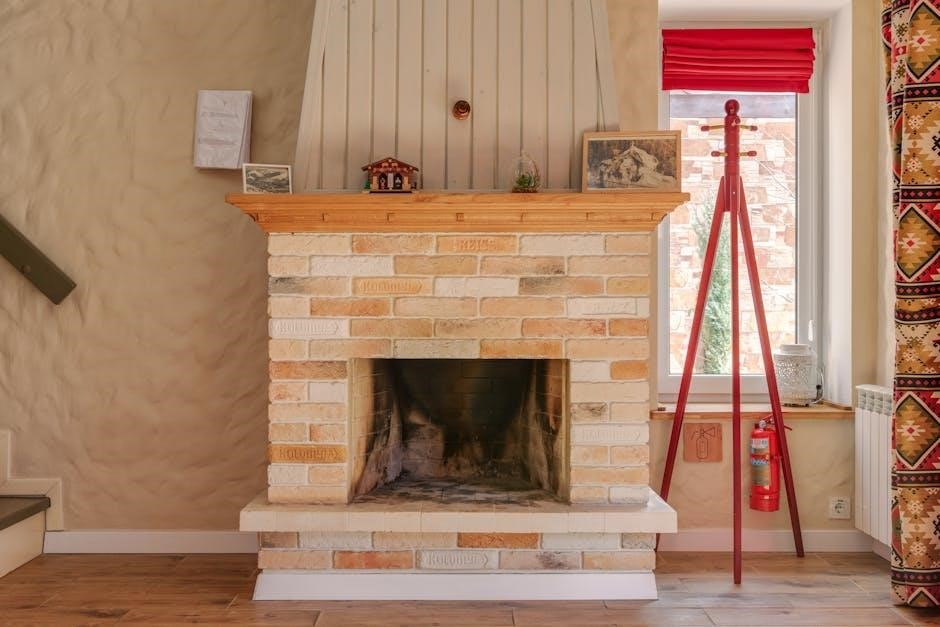
Utilizing a remote with vented gas log fireplaces presents unique considerations compared to vent-free models. Vented fireplaces rely on natural airflow for combustion, meaning remote control systems primarily manage the gas flow to the logs, not the overall fireplace temperature. Skytech remotes, like those used with the AF-LMF/RVS kits, typically control on/off functions and flame height adjustments – High, Medium, and Low settings.
Compatibility is key; ensure the remote and receiver are specifically designed for vented gas logs. Incorrect systems can lead to unsafe operation. Furthermore, consider the receiver’s placement, ensuring it’s protected from direct heat and moisture. Remote controls for vented fireplaces, costing around 59,990 ⎼ 77,404, offer convenience but require careful installation and understanding of their limitations regarding temperature regulation. Always prioritize safety and consult a qualified technician if unsure.
Where to Purchase Replacement Skytech Remotes and Parts
Finding replacement Skytech remotes and components often involves online marketplaces and specialized retailers. Listings on platforms show options like the Skytech 1001-A transmitter available for around 24,890, and the 4001-A receiver (item #175592095737) priced at 18,890, often shipped from the USA with limited stock. The 5320 Timer/Thermostat remote can be found for approximately 34,190, with only one unit remaining in some instances (item #306018798750).
Directly from Skytech or authorized dealers is recommended for guaranteed compatibility. However, various online retailers carry Skytech parts, offering competitive pricing. Be cautious of counterfeit products and verify seller ratings. Parts like the AF-LMF/RVS on/off valve kits are also available. Remember to check shipping costs and return policies before purchasing, especially when ordering from international sources. Thorough research ensures you acquire genuine Skytech components.