aroma rice cooker food steamer instructions

Aroma Rice Cooker Food Steamer: A Comprehensive Guide

This guide details using your Aroma rice cooker, including pre-programmed settings and accessories. Helpful charts aid in rice cooking and steaming, ensuring optimal results.

Understanding Your Aroma Rice Cooker

Your Aroma rice cooker functions by bringing water to a boil – precisely 100°C/212°F. The cooking process relies on complete water evaporation and absorption by the rice. Once this occurs, the temperature rises above boiling, automatically signaling the cooker to switch to a warming cycle. This simple, yet effective, mechanism ensures perfectly cooked rice every time.

It’s crucial to understand that Aroma cookers are designed for both household and commercial use. The included manual provides detailed instructions for utilizing the pre-programmed digital settings and all accompanying accessories. Familiarize yourself with these features to maximize your cooking experience. Remember, the measuring cup provided with your Aroma cooker isn’t a standard US cup (240mL); it’s approximately 180mL, equivalent to roughly ¾ of a standard cup.

For consistent results, always use the provided measuring cup. Adding rice and water according to the markings ensures proper ratios. Don’t hesitate to consult the helpful measurement charts within the manual for various rice types and quantities. Proper understanding of these fundamentals will unlock the full potential of your Aroma rice cooker.

Components and Accessories

Your Aroma rice cooker package includes several essential components designed for versatile cooking. Primarily, you’ll find the rice cooker itself, featuring a non-stick inner pot crucial for preventing sticking and ensuring easy cleanup. A clear measuring cup, specifically calibrated for Aroma cookers (180mL, approximately ¾ US cup), is included for accurate rice-to-water ratios.

A steaming tray is a key accessory, enabling you to steam vegetables, meats, or poultry alongside your rice. This allows for complete, one-pot meals. The spatula, often included, is designed to gently fluff the rice without scratching the non-stick coating. Should you require replacements, official Aroma rice cooker measuring cups are available for purchase online, and a comprehensive parts and manuals page is accessible through their website.

Understanding each component’s function is vital. The manual details how to properly utilize each accessory, maximizing the cooker’s capabilities. Remember to always refer to the manual for specific instructions and safety guidelines related to each component. Proper care and use will extend the life of your Aroma rice cooker and its accessories.

Rice Measurement and Ratios

Accurate rice measurement is fundamental to successful cooking with your Aroma rice cooker. Always utilize the provided measuring cup – it’s not equivalent to a standard US cup (240mL). The Aroma cup holds approximately 180mL. For white rice, a common starting point is a 1:1 ratio of rice to water. However, this can vary based on rice type.

Short-grain or medium-grain sushi rice, known for its stickiness, may require slightly less water. Conversely, long-grain jasmine rice often benefits from a 1:1 ratio for firmer, separated grains, similar to those served in Chinese restaurants. Experimentation is key to finding your preferred consistency. Two cups of rice should be filled up to the 2-cup line inside the cooker.

Remember to adjust water levels based on the quantity of rice. The cooker’s manual provides detailed charts for various rice types and amounts. Precise measurements ensure even cooking and prevent issues like sticky or undercooked rice. Consistent use of the provided cup guarantees repeatable results every time.

Rinsing Rice for Optimal Results

Rinsing rice before cooking is a crucial step often overlooked, yet it significantly impacts the final texture. The purpose of rinsing is to remove excess starch from the rice grains. This starch contributes to stickiness, and removing it results in fluffier, more separate grains – particularly important for varieties like jasmine rice.

To rinse effectively, place the measured rice into the cooker’s inner pot and cover with cold water. Gently swirl the rice with your hand, then carefully drain the cloudy water. Repeat this process 2-3 times, or until the water runs relatively clear. Don’t scrub vigorously, as this can damage the grains.

While rinsing is generally recommended, it’s less critical for short-grain sushi rice, as some stickiness is desired. However, even with sushi rice, a gentle rinse can improve the overall texture. Proper rinsing contributes to more consistent cooking and prevents the rice from clumping together during and after the cooking process.
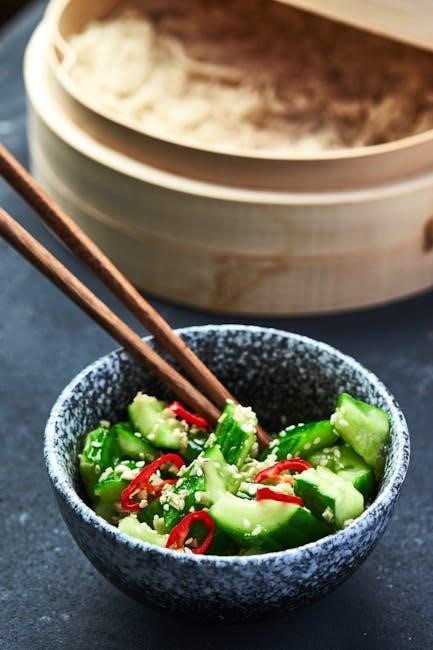
Cooking White Rice

Utilize the provided clear cup for accurate measurement, filling to the corresponding line. Rinse the rice 2-3 times, then simply press the “White Rice” button for perfect results!

Water Levels for Different Rice Quantities

Achieving perfectly cooked rice hinges on the correct water-to-rice ratio. Your Aroma rice cooker includes a measuring cup, but it’s crucial to understand it’s not a standard US cup. A standard US cup equals 240mL, while the rice cooker cup is approximately 180mL – roughly ¾ of a US cup.

For two cups of rice (using the provided 180mL cup), fill the cooker to the 2-cup line. This ensures sufficient water for proper steaming and absorption. Remember, short-to-medium grain sushi rice requires more water due to its stickier nature. Long-grain jasmine rice generally needs a 1:1 water ratio for firmer, separated grains.

Experimentation is key! While the markings inside the cooker are a great starting point, slight adjustments may be needed based on your preferred rice texture and the specific type of rice used. Japanese rice, being starchier, may require a touch more water. Always observe the rice during cooking and adjust accordingly in future batches.
Consistent use of the provided measuring cup is vital for repeatable results. Avoid using standard kitchen cups, as the differing volume will significantly impact the final outcome. Precise measurement guarantees fluffy, delicious rice every time.

Using the “White Rice” Setting

The “White Rice” setting is your go-to for most long and medium-grain rice varieties. After measuring your rice (using the provided cup and rinsing – see separate instructions) and adding the appropriate water level, simply press the “White Rice” button to initiate the cooking cycle.

This setting automatically regulates the cooking temperature and time, bringing the water to a boil (100°C/212°F) and then maintaining it until all the water is absorbed. Once absorption is complete, the temperature rises above boiling, signaling the cooker to switch to the “Warm” setting.

Avoid lifting the lid during the cooking process, as this releases steam and disrupts the cooking temperature. The cooker’s sensors rely on consistent heat for optimal results. Trust the automated process!

For slightly stickier rice, like sushi rice, the “White Rice” setting works well, but allowing the rice to sit in the pot for 10-15 minutes after cooking helps redistribute moisture and achieve the desired texture. Remember, Japanese rice is naturally stickier than other types.

The cooker will automatically switch to “Warm” when finished; however, it’s best to fluff the rice gently with a fork before serving to separate the grains.

Post-Cooking: Resting and Fluffing

Once the Aroma rice cooker switches to the “Warm” setting, resist the immediate urge to open the lid! Allowing the rice to rest for 10-15 minutes is crucial for achieving optimal texture and preventing a mushy consistency. This resting period allows the steam to redistribute evenly throughout the grains.

During this time, the residual heat continues to gently steam the rice, ensuring it’s fully cooked and fluffy. This is particularly important for stickier rice varieties, like short-grain or sushi rice, where moisture distribution is key.

After the resting period, gently fluff the rice with a fork. Avoid stirring vigorously, as this can break the grains and make the rice gluey. A light, lifting motion is all that’s needed to separate the grains and release any remaining steam.

If your rice appears slightly wet after fluffing, simply let it sit on the “Warm” setting for a few more minutes. The excess moisture will evaporate, resulting in perfectly cooked rice;

Remember, the finished product shouldn’t look drastically different from examples of properly cooked Japanese white rice – a slight stickiness is normal, especially with short-grain varieties.
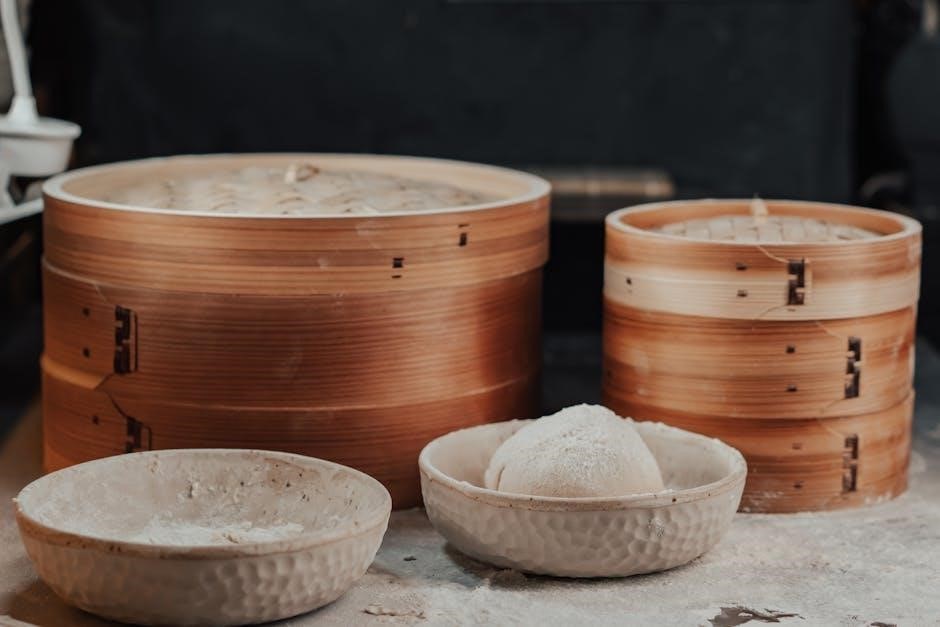
Steaming with Your Aroma Rice Cooker

Utilize the included steaming tray for vegetables or meats. Ensure pieces aren’t too large, as they’ll essentially boil alongside the rice, cooking effectively and safely.

Preparing the Steaming Tray

Before steaming, ensure the steaming tray is clean and properly positioned within your Aroma rice cooker. The tray typically sits above the inner pot, allowing steam to circulate and cook food without direct contact with the boiling water below. This method preserves nutrients and prevents sticking.

Add water to the inner pot – the amount depends on the steaming time required. A general guideline is to add enough water to create steam for the duration of cooking, but avoid exceeding the maximum water level indicated in your cooker’s manual. Too much water could potentially splash up and affect the food.

Place food on the steaming tray, ensuring it’s arranged in a single layer for even cooking. Avoid overcrowding, as this can hinder steam circulation and result in unevenly cooked food. For best results, cut food into similar-sized pieces to promote consistent cooking times. Consider lightly seasoning the food before steaming to enhance its flavor.

Secure the lid tightly to trap the steam and maintain a consistent temperature. The Aroma rice cooker will automatically switch to the “Steam” function or maintain a simmering temperature, depending on the model. Always refer to your specific model’s instructions for optimal steaming procedures.

Steaming Vegetables: Timing and Techniques

Steaming vegetables in your Aroma rice cooker preserves their vibrant color, texture, and essential nutrients. Timing varies significantly based on the vegetable type and desired tenderness. Leafy greens like spinach and kale require only a few minutes (3-5), while denser vegetables such as carrots and broccoli need 8-12 minutes.

For best results, cut vegetables into uniform pieces to ensure even cooking. Consider pre-blanching harder vegetables briefly to jumpstart the process. Arrange them in a single layer on the steaming tray, avoiding overcrowding to allow for proper steam circulation.

Delicate vegetables benefit from being placed higher on the tray, further from the boiling water. Regularly check for doneness by piercing with a fork; they should be tender-crisp. Season lightly with salt, pepper, or herbs after steaming to retain their flavor and nutritional value.

Experiment with different combinations – steaming is ideal for mixed vegetable medleys. Remember to adjust cooking times based on the densest vegetable included. The Aroma cooker’s consistent steam provides a healthy and flavorful cooking method.
Steaming Meat and Poultry: Safety Considerations

Steaming meat and poultry in your Aroma rice cooker is possible, but requires strict adherence to safety guidelines to ensure thorough cooking and prevent foodborne illness. The rice cooker boils at 100°C (212°F), which is sufficient for cooking, provided pieces aren’t excessively large.

Crucially, always use a food thermometer to verify the internal temperature reaches safe levels. Poultry must reach 165°F (74°C), while most meats require at least 145°F (63°C) with a three-minute rest. Smaller, uniformly sized pieces cook more evenly and quickly.

Avoid overcrowding the steaming tray, as this can lower the temperature and lead to uneven cooking. Marinating meat beforehand can enhance flavor and tenderness. Ensure the steaming liquid doesn’t directly touch the meat to prevent a boiled texture.

Never steam frozen meat or poultry; thaw completely beforehand. Regularly check the internal temperature throughout the cooking process. Proper steaming, combined with temperature verification, delivers a healthy and flavorful meal.

Troubleshooting Common Issues

Sticky rice often results from using short-grain varieties; rinsing thoroughly and letting it rest post-cooking can help. Undercooked rice may need more water or a longer cook time.
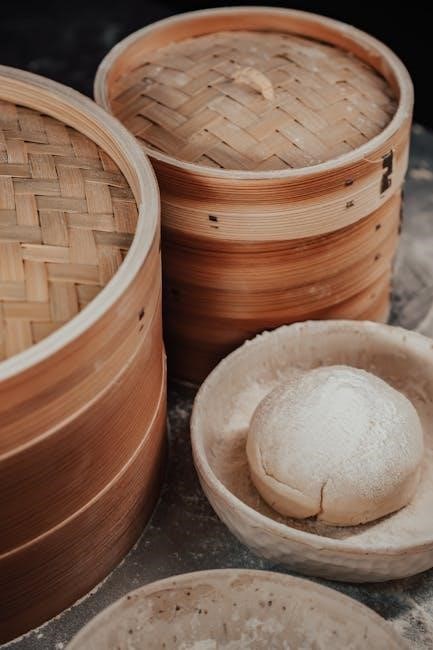
Rice is Too Sticky

If your rice consistently turns out too sticky, several factors could be at play. Firstly, consider the type of rice you’re using. Short- and medium-grain rice, particularly sushi rice, are naturally stickier due to their higher starch content. This is intentional for dishes like sushi where the stickiness is desired! However, if you prefer fluffier, separated grains, switching to a long-grain variety like jasmine rice is recommended.

Proper rinsing is crucial. Rinse the rice 2-3 times before cooking to remove excess surface starch. This significantly reduces stickiness. Also, adjusting the water ratio can help. Try a 1:1 rice-to-water ratio for long-grain rice, as opposed to the standard ratios for other types.

Post-cooking rest is also important. After the cooking cycle completes, let the rice sit in the cooker, undisturbed, for about 10-15 minutes. This allows the steam to redistribute and the grains to separate slightly. Finally, gently fluff the rice with a fork before serving. Remember, Japanese rice is naturally stickier, so expectations should be adjusted accordingly!

Rice is Undercooked

Encountering undercooked rice with your Aroma cooker usually points to insufficient cooking time or an incorrect water-to-rice ratio. Rice cookers operate by boiling water until absorbed, then relying on temperature to signal completion. If the water evaporates too quickly, the rice won’t fully cook.

Ensure you’re using the correct water level for the quantity of rice. Refer to the measurement charts included with your cooker or online resources. A slight increase in water – perhaps an extra tablespoon or two – can sometimes resolve the issue. Also, verify that the cooker’s heating element is functioning correctly.

If using the “White Rice” setting, confirm it’s appropriate for the rice type. Some cookers have settings for different grains. For stubborn cases, after the initial cycle, you can add a small amount of water (1/4 cup) and run the cooker on a shorter cycle. Remember, the cooker reaches 100°C (212°F) to boil the rice, so ensure sufficient liquid for proper cooking. Don’t open the lid during the cooking process, as this releases steam and affects the cooking time.

Finding Replacement Parts and Manuals

Locating replacement parts or a new manual for your Aroma rice cooker is often straightforward. The official source for rice cooker parts and manuals is typically the Aroma website itself. You can navigate to their support section and search specifically for your model number to find downloadable manuals in PDF format.

For replacement cups, the official Aroma store offers them directly. However, alternative retailers also sell compatible measuring cups, often at competitive prices. Be mindful that Aroma’s measuring cup isn’t equivalent to a standard US cup (240mL); it’s approximately 180mL. Using the correct cup ensures accurate rice-to-water ratios.
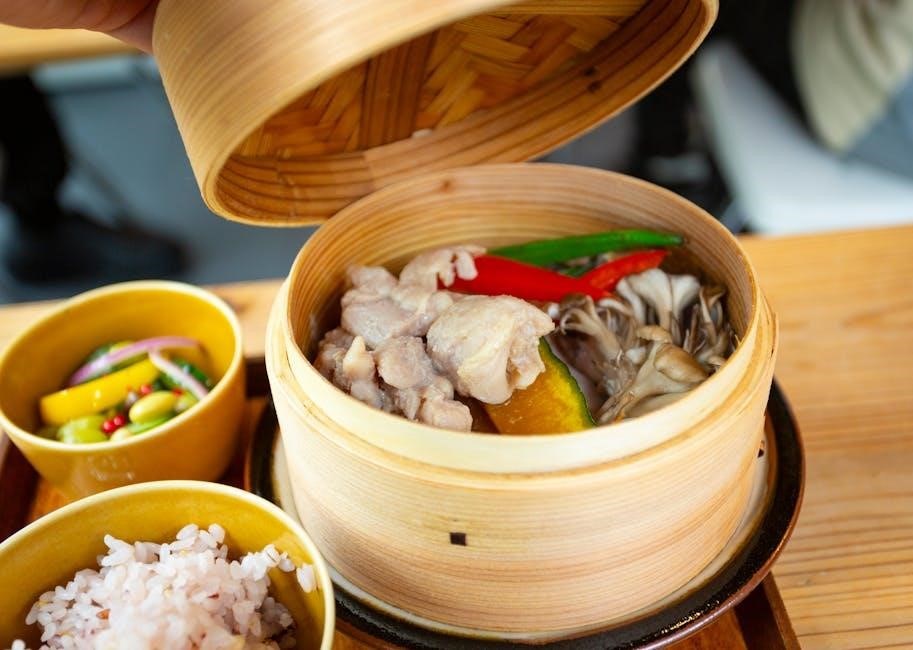
If you’ve misplaced your original manual, online archives and third-party websites frequently host digital copies. Searching online using your model number and “manual” will yield numerous results. Always verify the manual corresponds to your specific Aroma rice cooker model for accurate instructions and safety guidelines. Remember to prioritize official sources when possible for the most reliable information.


infant wrap instructions

Infant wrapping, a timeless practice, offers closeness and security for both parent and baby. Mastering tying techniques, like those for a baby wrap carrier, is key.

This method provides a comforting, womb-like environment, promoting bonding and aiding in healthy development during the crucial early stages of infancy.

Benefits of Infant Wrapping

Infant wrapping provides numerous advantages for both baby and caregiver. The secure hold mimics the feeling of the womb, promoting calmness and reducing fussiness, especially beneficial for newborns adjusting to the world.

Wrapping encourages bonding through increased physical closeness, fostering a strong emotional connection. It also allows for hands-free parenting, enabling caregivers to accomplish tasks while keeping their baby secure and content.

Furthermore, wrapping can aid in digestion by keeping the baby in an optimal position and promote healthy hip development when done correctly, supporting the “M-position”. It’s a skill that, once learned, offers a comforting and practical solution for modern parenting.

Types of Infant Wraps (Stretchy vs. Woven)

Infant wraps primarily fall into two categories: stretchy and woven. Stretchy wraps, like Boba or Moby, are made from knit fabric, offering a comfortable, moldable hold ideal for newborns. They are generally easier to learn initially, often allowing for a looser pre-tie before baby is added.

Woven wraps, constructed from tightly woven fabric, provide firm support and are suitable for babies of all ages, even as they grow. They require more practice to master, offering numerous tying options and greater adjustability.

The choice depends on preference and baby’s age; stretchy wraps excel in early months, while woven wraps offer longevity and versatility.

Preparing the Wrap

Proper preparation is crucial for safe and comfortable wrapping. Locate the center, ensuring even distribution, and determine the appropriate length based on your size and tying method.

Determining Wrap Length

Selecting the correct wrap length is vital for successful and comfortable babywearing. Generally, a longer wrap offers more versatility, especially for beginners or larger babies. For most users, a 4.5 to 5.5 meter (approximately 15 to 18 feet) wrap is a good starting point.

Consider your body size and the chosen carry. Shorter individuals may find a 4.5-meter wrap sufficient, while taller individuals or those planning more complex ties might prefer 5.5 meters. Pre-tied wraps, like Boba or Moby, can be loosened and adjusted, offering flexibility. Experimentation is key to finding what works best for you and your little one!

Finding the Center Point

Locating the wrap’s center is a crucial first step in many tying methods. Spread the wrap out fully, lengthwise. Gently bring both ends towards the middle, meeting in the center. This midpoint will typically rest against your torso when the wrap is positioned on your body.

The center point serves as the foundation for securing your baby. Ensure it’s clearly defined before proceeding. Some wraps have a small tag indicating the center; if yours doesn’t, careful estimation is needed. Accurate centering ensures even weight distribution and a secure, comfortable hold for both you and your baby throughout the wrap’s use.

Positioning the Wrap on Your Body

With the center point identified, drape the wrap across your back or chest, depending on the chosen carry. Ensure the center marker rests comfortably against your body, typically at your lower back or high on your chest. The two fabric tails should hang down in front, ready for tying.

Adjust the wrap so it sits evenly across your shoulders and back. Before placing your baby, check your reflection to confirm a balanced and secure fit. A properly positioned wrap distributes weight effectively, minimizing strain and maximizing comfort for both parent and child.

Basic Wrap Techniques

Mastering fundamental techniques, such as the Front Wrap Cross Carry (FWCC) and Back Wrap Cross Carry (BWCC), unlocks the versatility of baby wraps for comfortable carrying.

Front Wrap Cross Carry (FWCC) ౼ Step-by-Step

Begin by finding the center of your stretchy wrap and placing it against your torso. Bring the two tails around your back, crossing them diagonally.

Spread the wrap across your chest, creating a deep pocket for baby. Place your baby, facing in, into the wrap, ensuring their knees are in a frog-leg position.

Bring the bottom rail up and over baby’s back, then the top rail over baby’s other shoulder. Tighten the wrap by pulling on the rails, ensuring a snug and secure hold.

Always double-check the positioning and fit, utilizing a mirror for visual confirmation, and adjust as needed for optimal comfort and safety.

Back Wrap Cross Carry (BWCC) ౼ Step-by-Step

Start with the wrap centered across your back, bringing the tails forward over your shoulders. Cross the rails diagonally, creating an ‘X’ shape across your chest.

Spread the wrap across your back, forming a secure pocket for your baby. Carefully lift baby onto your back, ensuring their knees are bent and in a frog-leg position;

Bring the bottom rail up and over baby’s back, then the top rail over the opposite shoulder, tightening by pulling the rails.

Double-knot the wrap for added security, and always check the fit in a mirror, adjusting for comfort and proper positioning.

Ensuring a Safe and Secure Hold

Prioritize safety with a snug wrap, creating a defined seat for baby. Always double-knot and regularly check positioning to prevent slips or discomfort.

The “Tuck” and Proper Seat Creation

Creating a secure “seat” within the wrap is paramount for baby’s hip health and comfort. After positioning the baby, gently spread the fabric from knee to knee, forming a deep pocket. This “seat” should support the baby’s thighs and keep their legs in a natural “M” position – knees higher than their bottom.

The “tuck” refers to neatly folding the excess fabric around the baby’s back or sides, ensuring it doesn’t obstruct breathing or movement. A proper tuck adds layers of security and helps maintain a snug hold. Regularly check that the fabric isn’t too tight around the baby’s face or neck.

Checking for Proper Positioning (TICKS Rule)

The TICKS rule is a vital safety checklist for ensuring your baby is correctly positioned in a wrap. T stands for Tight – the wrap should be snug, supporting the baby without gaps. I is for In view at all times – you should always be able to see your baby’s face.

C represents Close enough to kiss – the baby’s head should be close enough for a kiss. K signifies Supported back – the baby’s back should be supported in its natural curve. Finally, S means Safe chin position – ensure the baby’s chin is off their chest to maintain an open airway.

Adjusting the Wrap for Comfort

Fine-tuning your wrap is essential for both parent and baby’s comfort. Techniques involve tightening or loosening panels, and adapting the wrap to accommodate growing infants.

Tightening and Loosening Techniques

Achieving the perfect fit often requires adjusting the wrap’s tension. To tighten, gently pull on the shoulder straps or the panel edges, redistributing the fabric while ensuring baby remains securely positioned.

For loosening, carefully release tension in the same areas, again prioritizing baby’s safety and maintaining a supportive hold. Remember, a snug but not restrictive fit is ideal.

Pre-tying wraps, like Boba or Moby, looser initially allows for easier baby placement and subsequent tightening. Regularly check the wrap’s fit as your baby grows, as adjustments will be needed to maintain optimal comfort and security throughout different developmental stages.

Adjusting for Different Baby Sizes

As your baby grows, the way you utilize the wrap will evolve. Newborns require a higher, snugger position, ensuring their airways remain open and supported. With increased weight and length, lower hip positions become more appropriate, promoting healthy hip development.

Adjusting the panel height and tightening the wrap more firmly are crucial for older babies. Regularly reassess the fit, ensuring the wrap continues to provide adequate support and comfort. Remember, a secure seat is paramount, adapting to your baby’s changing needs.

Different tying methods may also become preferable as your baby gains strength and mobility.

Advanced Wrapping Techniques

Explore double-layer wraps for enhanced support, especially with heavier babies. Mastering knotting variations, like a double knot, adds an extra layer of security during carries.

Double Layer Wrap for Added Support

As your baby grows, or if you simply desire increased security, a double-layer wrap provides substantial benefits. This technique involves wrapping the fabric around your body twice before positioning your little one.

Essentially, you’re creating a more robust and supportive ‘seat’ for the baby, distributing their weight more evenly across your back and shoulders. This is particularly useful for longer carries or when your baby is becoming more active and wriggly within the wrap.

Remember to maintain proper tension throughout both layers to ensure a snug and secure hold, always prioritizing the baby’s airway and comfortable positioning.

Knotting Variations (Double Knot Security)

Securing the wrap properly is paramount for safety, and knotting variations enhance this. While a simple overhand knot is often sufficient, a double knot significantly increases security, especially with more mobile babies.

After bringing the wrap panels to the front, or behind you, create a loop and pass the ends through twice, tightening firmly. This prevents accidental loosening during movement. Always double-check the knot before each use, ensuring it’s snug and secure.

Consider the wrap’s length; extra fabric allows for more secure knotting. Prioritize a firm, reliable knot to maintain a safe and comfortable carry for both you and your baby.

Infant Feeding and Wrapping

Wrapping during feeding promotes bonding and offers a discreet, comfortable experience for both mother and baby, aiding in successful breastfeeding or bottle-feeding.

Wrapping for Breastfeeding/Bottle Feeding

Utilizing a wrap for feeding creates a secure and private space, fostering a calm environment for both parent and infant. A properly positioned wrap supports the baby’s head and body, allowing for relaxed feeding.

Ensure the baby is positioned comfortably, with a clear airway, and that you can easily support their head during and after the feed. The wrap can also help minimize distractions, promoting a focused feeding session. Remember to adjust the wrap as needed to accommodate growth and different feeding positions.

Post-feeding, maintaining the wrap allows for easy burping, keeping baby snug and secure while gently patting or rubbing their back to release any trapped air.

Post-Feeding Burping Positions in a Wrap

Burping while babywearing requires gentle adjustments to ensure comfort and effectiveness. Maintaining a secure hold, slightly upright positioning aids in releasing trapped air. Support baby’s chest and head with one hand while gently patting or rubbing their back with the other.

Different positions work best for different babies; try a shoulder burp by gently leaning forward, or a seated burp by supporting baby’s chest against your body. The wrap provides stability, allowing you to focus on burping without worrying about support.

Always observe your baby for cues of discomfort and adjust the wrap or position as needed.

Wrap Care and Maintenance

Proper care extends your wrap’s life! Follow washing instructions carefully, and store it safely when not in use to maintain its shape and integrity.

Washing Instructions

Maintaining your infant wrap requires gentle care to preserve its softness and structural integrity. Always check the manufacturer’s label first, as materials vary. Generally, machine washing is acceptable using a mild, baby-safe detergent on a cold, delicate cycle.

Avoid bleach, fabric softeners, and harsh chemicals, as these can compromise the fabric’s fibers and potentially irritate your baby’s skin. Tumble dry on low heat or, ideally, line dry to prevent shrinking and maintain elasticity.

For woven wraps, a cooler wash and line drying are highly recommended. Frequent washing isn’t necessary unless soiled, as it can weaken the fibers over time. Spot clean when possible!

Storage Recommendations

Proper storage extends the life of your cherished infant wrap. When not in use, store your wrap in a cool, dry place away from direct sunlight to prevent fading and fiber damage. Avoid storing it in airtight containers, as this can trap moisture and lead to mildew.

For woven wraps, loosely folding or rolling is preferable to tightly packing, which can create creases. Stretchy wraps can be loosely balled up. Consider using a breathable storage bag, like cotton, to protect it from dust.

Regularly airing out your wrap helps maintain freshness. Avoid storing near strong scents, as the fabric can absorb them.

Troubleshooting Common Issues

Addressing challenges like wrap slipping or baby discomfort is normal. Re-tighten the wrap, check positioning, and ensure a secure knot for optimal comfort and safety.

Wrap Slipping

Wrap slippage is a common concern, especially with newer wraps or as your baby grows and becomes more active. Several factors can contribute to this issue. Ensure the wrap is pulled taut and evenly distributed across your shoulders and back before positioning your baby.

A properly tied double knot is crucial for securing the panels and preventing loosening. Consider adjusting the wrap higher on your back or torso for increased friction. If using a stretchy wrap, pre-tie it a bit looser and then tighten it after baby is inside. Remember to regularly check and re-tighten as needed throughout use, particularly with a wriggly baby!

Baby Feeling Uncomfortable

If your baby seems uncomfortable in the wrap, immediately stop and reassess the positioning. Ensure their legs are in a natural “M” shape, with knees higher than their bottom, supporting a healthy hip development. Check for any fabric bunching or pressure points that might be causing distress.

Loosen the wrap slightly if it feels too tight, but maintain a secure hold. Observe your baby’s cues – fussiness, arching their back, or attempting to escape – and adjust accordingly. A mirror can be invaluable for visually confirming proper positioning. Remember, comfort is paramount for both of you!

skytech fireplace remote instructions

Skytech Fireplace Remote Instructions: A Comprehensive Guide

Navigating Skytech fireplace remotes requires understanding various models like 1001-A, 3301, and 5320. This guide details setup, operation, troubleshooting, and compatibility for optimal control.

Understanding Skytech Fireplace Remotes

Skytech fireplace remotes offer convenient control over gas fireplaces, enhancing comfort and ease of use. These systems typically consist of a transmitter (the remote itself) and a receiver, often the 4001-A RX model, installed near the fireplace’s gas valve. The remote sends radio frequency (RF) signals to the receiver, which then operates the gas valve, controlling flame height and, in some cases, turning the fireplace on or off.

Different Skytech remotes cater to varying needs. Basic models, like the 1001-A, provide simple on/off functionality. More advanced options, such as the 5320, incorporate timer and thermostat features for automated temperature control. The AF-LMF/RVS kits are designed for on/off valve operation. Understanding your specific model is crucial for proper setup and operation. Compatibility is also key; ensuring the remote is designed for your fireplace type – vented or ventless – is essential for safe and effective use.

Common Skytech Remote Models

Skytech offers a range of fireplace remotes, each designed with specific features. The Skytech 1001-A is a foundational model, providing basic on/off control for many gas fireplaces. The Skytech 3301 transmitter is a digital remote, often found as a gray wireless unit, offering reliable operation. For those seeking programmable control, the Skytech 5320 stands out with its timer and thermostat capabilities, featuring a backlit touch screen.

The Skytech AF-LMF/RVS is unique, functioning as an on/off gas valve kit remote, ideal for specific fireplace setups. Replacement receivers, like the Skytech 4001-A (4001-A RX), are available to restore functionality to existing systems. When considering a replacement, compatibility with your fireplace is paramount. These models represent the core of Skytech’s offerings, catering to diverse user preferences and fireplace configurations, ensuring convenient and safe operation.

Skytech 1001-A Remote: Features and Operation

The Skytech 1001-A is a popular, entry-level remote designed for straightforward fireplace control. Its primary function is to remotely turn your gas fireplace on and off, offering convenience without complex programming. Operation is typically simple: point the remote at the fireplace receiver and press the power button. This model is widely compatible with many gas fireplace systems, making it a versatile choice.

While lacking advanced features like timers or thermostat control, the 1001-A excels in its simplicity and reliability. It generally requires battery power to function, and regular battery checks are recommended. If the remote isn’t responding, battery replacement is the first troubleshooting step. As a foundational Skytech product, the 1001-A provides essential remote functionality for a comfortable and convenient fireplace experience. It’s a cost-effective solution for basic control needs.

Skytech 3301 Transmitter Remote: Setup and Usage

The Skytech 3301 Transmitter Remote represents a step up from the 1001-A, offering digital functionality and enhanced control. Initial setup usually involves pairing the transmitter with a compatible Skytech receiver (like the 4001-A RX). This pairing process often requires pressing a learn button on both the remote and receiver simultaneously. Once paired, the remote allows for on/off control of your gas fireplace.

Beyond basic operation, the 3301 typically features a digital display, potentially showing status information or settings; Usage is straightforward – navigate the functions using the buttons, ensuring clear line of sight to the receiver. Battery installation is crucial for proper operation; a low battery can cause erratic behavior. This gray wireless digital remote is a reliable option for those seeking a more modern and feature-rich fireplace control experience, offering improved usability over simpler models.

Skytech 5320 Timer/Thermostat Remote: Advanced Controls

The Skytech 5320 Timer/Thermostat Remote is the most sophisticated option, offering precise temperature control and programmable scheduling. Featuring a backlit touch screen, this remote allows users to set desired room temperatures, creating a comfortable ambiance and potentially saving on energy costs. The timer function enables automated operation, turning the fireplace on or off at pre-defined times.

Advanced settings often include flame height adjustment and various operating modes. Programming the 5320 requires navigating the menu system using the touch screen, which may involve setting schedules, temperature preferences, and other customizable options. Proper battery maintenance is vital, as the backlit display consumes more power. This remote provides a premium experience, offering unparalleled control and convenience for managing your gas fireplace, ensuring optimal comfort and efficiency.

Skytech AF-LMF/RVS Remote: On/Off Valve Kit Operation

The Skytech AF-LMF/RVS remote is specifically designed for use with an On/Off gas valve kit, providing simple yet effective control over your fireplace. This system allows for remote activation and deactivation of the gas flow to the fireplace, offering convenience and safety. Operation typically involves basic on/off functionality, eliminating the need for complex programming or temperature settings.

Installation of the valve kit is crucial for proper operation and requires careful adherence to safety guidelines. The remote communicates wirelessly with the receiver unit connected to the gas valve. Ensure proper pairing between the remote and receiver. This setup is ideal for users seeking a straightforward solution for controlling their gas fireplace, prioritizing ease of use and reliable performance. Regular battery checks are recommended to maintain consistent functionality.

Replacing Batteries in Your Skytech Remote

Maintaining your Skytech fireplace remote requires periodic battery replacement to ensure reliable operation. Low batteries are a common cause of remote malfunction, leading to frustrating issues like unresponsive controls or intermittent signals. Most Skytech remotes utilize standard batteries, often AAA or AA, depending on the specific model – consult your remote’s documentation for confirmation.

To replace the batteries, locate the battery compartment, typically on the back or side of the remote. Gently slide or pry open the compartment cover. Remove the old batteries, noting the correct polarity (+ and -) indicated inside the compartment. Insert new batteries, ensuring proper alignment. Close the battery compartment securely. After replacement, test the remote’s functionality to confirm successful operation. Regularly checking battery levels prevents unexpected interruptions and extends the life of your remote.

Programming a Skytech Remote

Programming a Skytech remote is sometimes necessary, especially after battery replacement or when using a replacement remote. While many Skytech remotes operate “out of the box,” some models require pairing with the fireplace receiver. The process typically involves accessing a “learn” or “program” mode on both the remote and the receiver unit.

Consult your specific remote’s manual for detailed programming instructions, as procedures vary between models like the 1001-A or 5320. Generally, you’ll need to power on the fireplace and locate the receiver (often near the gas valve). Press and hold a designated button on the receiver to initiate learn mode. Then, press a corresponding button on the remote. Successful programming is usually indicated by a signal from the receiver, such as a beep or a light flash. If unsuccessful, repeat the process, ensuring proper distance and clear line of sight between the remote and receiver.

Troubleshooting Common Remote Issues

Encountering issues with your Skytech fireplace remote is common. If the remote isn’t responding, first check the batteries – this is the most frequent cause. Ensure they are fresh and correctly installed. Next, verify there’s a clear line of sight between the remote and the fireplace receiver, removing any obstructions. Interference from other electronic devices can also be a factor.

Incorrect gas valve operation might indicate a programming issue; re-program the remote following the manual’s instructions. Display problems on timer/thermostat models (like the 5320) could stem from low batteries or a faulty display. If problems persist, check the receiver unit itself. A malfunctioning receiver may require replacement. Consider purchasing a replacement Skytech 4001-A receiver if needed. Always consult the manual before attempting any repairs.

Remote Not Responding

A non-responsive Skytech remote is often easily resolved. Begin by verifying the batteries; depleted or incorrectly installed batteries are the primary culprit. Replace them with fresh ones, ensuring correct polarity. Next, confirm a clear line of sight between the remote and the fireplace receiver unit – obstructions like furniture or decorations can interfere with the signal.

Signal interference from other electronic devices (televisions, radios) can also cause issues. Try temporarily turning off nearby electronics to see if this resolves the problem. If the remote still fails to respond, attempt re-programming it to the receiver, following the instructions in your Skytech manual. A faulty remote or receiver could be the cause, potentially requiring replacement of either component, such as a Skytech 1001-A transmitter.

Incorrect Operation of Gas Valve

If your Skytech remote causes the gas valve to operate erratically – failing to fully open, close, or cycling unexpectedly – several factors could be at play. First, ensure the Skytech AF-LMF/RVS On/Off Valve Kit, if installed, is correctly wired and functioning. Check the receiver unit (like the 4001-A RX) for proper connections and power.

Low battery voltage in either the remote or receiver can sometimes lead to inconsistent valve control. Replace batteries in both devices. A malfunctioning gas valve itself is also a possibility, requiring professional inspection and repair. Verify the remote’s settings are appropriate for your fireplace type. Incorrect programming or a mismatch between the remote model (e.g., 3301 Transmitter) and the valve system can cause operational issues. Finally, confirm there are no obstructions within the gas line.

Display Problems (for Timer/Thermostat Models)

If your Skytech 5320 Timer/Thermostat remote’s backlit touch screen exhibits issues – such as dimness, flickering, incomplete characters, or a completely blank display – begin with the simplest solution: battery replacement. Low battery power is a frequent cause of display malfunctions in these advanced models.

Inspect the battery compartment for corrosion or debris that might impede contact. If new batteries don’t resolve the problem, attempt a remote reset (consult the manual for specific instructions, as procedures vary). Ensure the remote hasn’t been exposed to extreme temperatures or moisture, which can damage the LCD. A faulty receiver (4001-A RX) can sometimes manifest as display errors on the remote. If the issue persists, contact Skytech support or consider a replacement remote, as internal repairs are typically not feasible.

Skytech Remote Compatibility

Skytech remotes demonstrate broad compatibility, particularly within their own ecosystem. Models like the 1001-A, 3301, and 5320 are designed to work seamlessly with Skytech receivers, specifically the 4001-A RX. However, compatibility extends beyond solely Skytech branded fireplaces.

Many Skytech remotes are also compatible with ProCom fireplaces, offering a convenient replacement option. Furthermore, they often function with other brands utilizing similar On/Off valve kits, such as those employing the AF-LMF/RVS system. When seeking a replacement, verifying the receiver’s compatibility is crucial. While universal remotes exist, dedicated Skytech remotes generally provide more reliable and complete functionality. Always consult the fireplace’s manual or Skytech’s compatibility charts to confirm a match before purchasing a new remote.

Finding Skytech Remote Manuals Online

Locating Skytech remote manuals online is often straightforward, though direct access through Skytech’s official website can be limited. Several online resources archive these documents. Websites specializing in appliance manuals frequently host PDFs for models like the 3301PBE, offering installation and operating instructions.

Online marketplaces, where Skytech remotes are sold, sometimes include downloadable manuals with product listings. Additionally, searching using specific model numbers (e.g., “Skytech 5320 manual PDF”) yields results from various document-sharing platforms. Be cautious when downloading from unfamiliar sources to avoid potential malware. Checking forums dedicated to fireplaces and home heating can also uncover links to manuals shared by other users. Remember to verify the manual corresponds to your specific remote model for accurate guidance.

Installing a Skytech On/Off Gas Valve Kit

Installing a Skytech On/Off Gas Valve Kit, such as the AF-LMF/RVS model, requires careful attention to safety and adherence to local gas codes. Professional installation is strongly recommended due to the inherent risks involved with gas lines.

The process typically involves shutting off the gas supply, carefully connecting the valve kit to the existing gas line, and wiring the valve to a compatible Skytech receiver. Proper sealing of gas connections is crucial to prevent leaks; using gas-rated pipe sealant is essential. After installation, a leak test using a soap solution must be performed to verify all connections are secure. Finally, the remote control needs to be synchronized with the receiver to enable wireless operation of the gas valve. Always consult the kit’s specific instruction manual for detailed steps and safety precautions.

Skytech Receiver Installation (4001-A RX)

Installing the Skytech 4001-A RX receiver is a critical step in enabling remote control functionality for your gas fireplace. The receiver typically mounts near the fireplace’s gas valve, requiring access to a 120V AC power source. Ensure the power is OFF before commencing any wiring.

Connection involves linking the receiver to the gas valve using low-voltage wiring, effectively acting as a switch controlled by the remote signal. Proper wiring is essential; incorrect connections can damage the receiver or gas valve. After wiring, the receiver needs to be powered on and synchronized with your Skytech remote control. This synchronization process usually involves pressing a ‘learn’ button on both the receiver and the remote, following the specific instructions in the receiver’s manual. A replacement receiver, like the one available with article number 175592095737, ensures continued remote operation.

Remote Control for Vented Gas Log Fireplaces: Considerations

Utilizing a remote with vented gas log fireplaces presents unique considerations compared to vent-free models. Vented fireplaces rely on natural airflow for combustion, meaning remote control systems primarily manage the gas flow to the logs, not the overall fireplace temperature. Skytech remotes, like those used with the AF-LMF/RVS kits, typically control on/off functions and flame height adjustments – High, Medium, and Low settings.

Compatibility is key; ensure the remote and receiver are specifically designed for vented gas logs. Incorrect systems can lead to unsafe operation. Furthermore, consider the receiver’s placement, ensuring it’s protected from direct heat and moisture. Remote controls for vented fireplaces, costing around 59,990 ⎼ 77,404, offer convenience but require careful installation and understanding of their limitations regarding temperature regulation. Always prioritize safety and consult a qualified technician if unsure.

Where to Purchase Replacement Skytech Remotes and Parts

Finding replacement Skytech remotes and components often involves online marketplaces and specialized retailers. Listings on platforms show options like the Skytech 1001-A transmitter available for around 24,890, and the 4001-A receiver (item #175592095737) priced at 18,890, often shipped from the USA with limited stock. The 5320 Timer/Thermostat remote can be found for approximately 34,190, with only one unit remaining in some instances (item #306018798750).

Directly from Skytech or authorized dealers is recommended for guaranteed compatibility. However, various online retailers carry Skytech parts, offering competitive pricing. Be cautious of counterfeit products and verify seller ratings. Parts like the AF-LMF/RVS on/off valve kits are also available. Remember to check shipping costs and return policies before purchasing, especially when ordering from international sources. Thorough research ensures you acquire genuine Skytech components.

my smile teeth whitening kit instructions

My Smile Teeth Whitening Kit offers a convenient, affordable path to a brighter smile, utilizing professional-level whitening from the comfort of your home.

Many users report transformative results, with nearly 15,000 reviews and a close-to-five-star rating, making it a popular choice for achieving a dazzling smile.

This kit leverages the power of hydrogen peroxide and innovative LED technology, providing effective whitening with minimal fuss, as highlighted by enthusiastic customer testimonials.

What is My Smile Teeth Whitening Kit?

My Smile Teeth Whitening Kit is a comprehensive at-home dental care system designed to noticeably brighten your teeth. It typically includes pre-filled trays containing a hydrogen peroxide-based whitening gel, and often features an LED light to accelerate the whitening process.

This kit aims to deliver professional-quality results without the high cost or inconvenience of a dentist visit. With over 161 million TikTok videos showcasing similar products, it’s gaining popularity as a convenient solution for achieving a whiter, more confident smile.

Benefits of Using a Home Whitening Kit

Home whitening kits, like My Smile, offer significant advantages including cost-effectiveness compared to professional dental treatments. Convenience is key – treatments can be done on your schedule, in the privacy of your home, avoiding dentist appointments.

These kits, boasting nearly five-star ratings from thousands of users, provide a comfortable and accessible way to combat discoloration from coffee, tea, or simply aging, leading to a brighter, more confident smile.

Understanding the Kit Components

My Smile Kit typically includes pre-filled whitening trays, LED light for activation, and syringes containing the whitening gel – hydrogen peroxide being the key ingredient.

Tray System and Gel Syringes

The tray system features pre-filled, custom-fit trays designed for easy application of the whitening gel directly to your teeth. These trays ensure even distribution, maximizing the effectiveness of the treatment.

Gel syringes contain a precisely measured amount of hydrogen peroxide, the active whitening agent. This allows for controlled application, minimizing gum contact and maximizing results.

The combination of these components delivers a professional-level whitening experience conveniently at home.

LED Whitening Light

The LED whitening light accelerates the whitening process by activating the hydrogen peroxide gel. Some kits, like SmilePro, utilize dual LED technology, employing both blue light for whitening and red light to enhance results.

This light is designed to be comfortably used during treatment, fitting easily into the mouth while the trays are in place.

It’s a key component for achieving faster, more noticeable whitening.

Shade Guide

The shade guide is a crucial tool for monitoring your whitening progress. It features a range of tooth shades, allowing you to assess your current tooth shade before starting treatment and track the changes as you continue.

Regularly comparing your teeth to the guide helps determine when you’ve achieved your desired results.

This visual aid ensures you don’t over-whiten and maintain a natural-looking smile.

Preparing for Your Whitening Treatment

Proper preparation is key for optimal results! Begin by assessing your current tooth shade, protecting your gums, and ensuring your teeth are thoroughly clean before starting.

Assessing Your Current Tooth Shade

Utilize the included shade guide to accurately determine your starting tooth color. Compare your teeth to the various shades on the guide in natural light, noting the closest match.

Documenting this initial shade is crucial for tracking your progress throughout the whitening process.

Regularly re-evaluate your shade against the guide during treatments to monitor the effectiveness and adjust accordingly, ensuring you achieve your desired brightness.

Protecting Your Gums

Prioritize gum protection during each whitening session. A barrier, like a thin layer of petroleum jelly, can be carefully applied along the gumline to minimize sensitivity and irritation.

Ensure the mouth tray fits snugly, preventing gel from contacting your gums.

Avoid overfilling the trays, as excess gel increases the risk of gum irritation. Promptly rinse away any gel that comes into contact with gum tissue.

Ensuring Clean Teeth

Thoroughly brush and floss your teeth before each whitening treatment to remove plaque and debris. This ensures the whitening gel effectively reaches your tooth enamel for optimal results.

Avoid using abrasive toothpastes immediately before treatment, as they can increase sensitivity.

A clean surface maximizes gel contact, leading to a more even and noticeable whitening effect, enhancing the kit’s overall performance.

Step-by-Step Instructions for Use

Begin by applying a thin layer of whitening gel into each mouth tray, ensuring even distribution. Then, comfortably insert the tray and activate the LED light.

Applying the Whitening Gel

Carefully unscrew the syringe tip and gently dispense a small amount of the whitening gel into each tray. A thin, even layer is crucial – avoid overfilling, as excess gel can cause sensitivity.

Ensure the gel covers the tooth surface that will contact the teeth, but avoid getting it on your gums. Properly applied gel maximizes whitening effectiveness and minimizes potential irritation, leading to a brighter, more confident smile.

Inserting the Mouth Tray

Gently place the filled mouth tray over your teeth, ensuring a snug yet comfortable fit. Lightly bite down to secure the tray in place, and use your tongue to hold it against your teeth.

If the tray doesn’t fit perfectly, slight adjustments can be made, but avoid forcing it. A proper fit is essential for even gel distribution and optimal whitening results, minimizing gum contact.

Activating the LED Light

Once the mouth tray is comfortably positioned, activate the LED whitening light according to the kit’s instructions. Typically, this involves pressing a button to initiate the blue light, designed to accelerate the whitening process.

Ensure the light is properly aligned with your mouth for maximum effectiveness. Some kits also feature a red light setting for post-treatment sensitivity reduction.

Treatment Duration and Frequency

Recommended treatment time generally ranges from 30 minutes per session, with optimal results achieved through consistent use over several days or weeks.

The number of treatments varies based on individual needs and desired whitening levels, as indicated by the included shade guide.

Recommended Treatment Time

For optimal results with the My Smile Teeth Whitening Kit, each session utilizing the LED light and gel should ideally last around 30 minutes.

Consistent application is key; however, avoid exceeding the recommended duration to minimize potential sensitivity. Users should carefully monitor their teeth and gums during each treatment, pausing if discomfort arises.

Following the instructions closely ensures effective whitening while prioritizing oral health and comfort, as suggested by positive customer experiences.

Number of Treatments for Desired Results

Achieving your ideal shade with the My Smile Teeth Whitening Kit typically requires a series of treatments, generally spanning from 7 to 14 days.

Most users observe noticeable improvements after just a few sessions, but complete results depend on individual tooth condition and desired brightness.

Consistent use, following the recommended treatment schedule, maximizes effectiveness, allowing you to gradually and safely attain a visibly whiter, more confident smile.

Post-Treatment Care

Following treatment, manage sensitivity with fluoride toothpaste and avoid staining agents like coffee or tea for optimal, lasting results.

Maintaining good oral hygiene is crucial for preserving your newly brightened smile and minimizing potential discomfort.

Sensitivity Management

Temporary tooth sensitivity is a common side effect after whitening. To alleviate discomfort, utilize a toothpaste specifically formulated for sensitive teeth, incorporating potassium nitrate.

Avoid extremely hot or cold foods and beverages, as these can exacerbate sensitivity. If discomfort persists beyond a few days, consider reducing treatment frequency or consulting your dentist. Consistent oral hygiene also aids in minimizing sensitivity.

Dietary Considerations

Following treatment, temporarily avoid staining foods and drinks like coffee, tea, red wine, and berries for at least 24-48 hours. These can re-stain newly whitened teeth, diminishing results.

Opt for lighter-colored foods and beverages during this period. Maintaining good oral hygiene, including regular brushing and flossing, will further help preserve your brighter, whiter smile.

Potential Side Effects and Precautions

Temporary tooth sensitivity and mild gum irritation are possible. Discontinue use if discomfort persists and consult a dentist before continuing treatment.

Tooth Sensitivity

Experiencing tooth sensitivity during whitening is common, as the gel temporarily dehydrates teeth. Using a toothpaste designed for sensitive teeth before and after treatment can help minimize discomfort.

If sensitivity becomes severe or prolonged, reduce treatment duration or frequency.

Pausing for a few days allows teeth to remineralize and regain moisture, lessening the sensation. Always consult your dentist if sensitivity persists.

Gum Irritation

Mild gum irritation can occur if the whitening gel contacts soft tissues. Ensuring a proper tray fit is crucial to prevent gel leakage and minimize contact.

Carefully follow instructions for gum protection during treatment.

If irritation arises, discontinue use and rinse thoroughly. Applying a soothing oral gel can provide relief; consult a dentist for persistent issues.

Contraindications

This kit isn’t suitable for everyone. Avoid use if you have open sores in your mouth, are pregnant or breastfeeding, or have recently undergone dental work.

Individuals with severe gum disease or tooth decay should consult a dentist before using.

Those with known sensitivities to hydrogen peroxide should also exercise caution or avoid the kit entirely.

Maximizing Your Results

Consistent oral hygiene, paired with avoiding staining agents like coffee and tea, dramatically enhances and prolongs the whitening effects of the kit.

Combining with Good Oral Hygiene

To truly maximize the effectiveness of the My Smile Teeth Whitening Kit, diligent oral hygiene is paramount. Brush twice daily with fluoride toothpaste, and floss regularly to remove plaque and surface stains.

This prepares your teeth for optimal gel absorption, ensuring a brighter, more even result. Maintaining a clean oral environment also minimizes sensitivity and supports long-lasting whiteness.

Regular dental check-ups are also crucial for maintaining overall oral health alongside whitening treatments.

Avoiding Staining Foods and Drinks

To prolong your newly whitened smile, temporarily reduce consumption of staining agents like coffee, tea, red wine, and dark berries. These substances contain chromogens that can re-attach to your teeth, diminishing the whitening effects.

If you do indulge, rinse your mouth with water afterward.

Consider using a straw to minimize contact with your front teeth, and maintain excellent oral hygiene to prevent stain build-up and maintain a brighter, lasting result.

Troubleshooting Common Issues

Addressing gel leakage or ill-fitting trays is crucial for optimal results. Ensure proper syringe handling and consider re-molding trays for a secure, comfortable fit.

Gel Leakage

Experiencing gel leakage during treatment can be frustrating, but is often easily resolved. First, ensure the syringe is properly sealed and not overfilled. Carefully apply the gel inside the tray, avoiding excess amounts.

A snug tray fit is vital; if leakage persists, re-mold the trays following the kit’s instructions for a more customized and secure seal. Gently blot away any escaped gel immediately with a clean cloth.

Tray Fit Problems

Ill-fitting trays are a common concern, hindering effective gel contact and potentially causing discomfort. Most kits include moldable trays; carefully follow the instructions to re-mold them for a precise fit.

Warm water is typically used to soften the trays before molding. Ensure complete contact with your teeth during molding, and hold firmly until set. If issues persist, contact customer support for assistance.

Comparing My Smile Kit to Alternatives

Compared to professional whitening, My Smile offers a cost-effective solution, though results may be less dramatic. It competes with brands like Crest, offering similar convenience and price points.

Professional Whitening vs. Home Kits

Professional teeth whitening, performed by a dentist, typically delivers faster and more dramatic results due to higher concentrations of whitening agents. However, it comes with a significantly higher cost.

Home kits, like My Smile, provide a budget-friendly alternative, offering convenience and gradual whitening. While results may take longer to appear, they are still effective for many, especially with consistent use.

Ultimately, the best choice depends on individual needs, budget, and desired level of whitening.

Other Popular Whitening Brands

Crest Whitestrips are a widely recognized and readily available option, boasting over 10 whitening strips per pack and consistently positive customer feedback. SmilePro offers an advanced kit utilizing dual LED light technology – blue for whitening and red for sensitivity reduction.

MySweetSmile has gained significant traction, particularly on TikTok, with users praising its ability to transform smiles. Each brand presents unique features and price points.

Customer Reviews and Testimonials

Positive Experiences consistently highlight the kit’s effectiveness and ease of use, with many users noting visible results after just a few treatments.

Customers appreciate the affordability and convenience compared to professional dental whitening procedures.

Positive Experiences

Numerous customers rave about the noticeable improvements in their smile’s brightness, often after only a handful of applications using the kit. Many specifically mention the simplicity of the process, appreciating the pre-filled trays and LED light activation.

Reviewers frequently compare the results favorably to expensive professional treatments, highlighting the significant cost savings. The kit’s popularity is also evidenced by over 161 million TikTok videos created showcasing its use and results.

Areas for Improvement

Some users report experiencing temporary tooth sensitivity during or after treatments, a common side effect with whitening products, though generally manageable. A few reviewers noted occasional gel leakage from the trays, suggesting a need for careful application and tray fit assessment.

While rare, some customers mentioned the kit infrequently goes on sale, potentially impacting accessibility for budget-conscious buyers. Addressing these minor issues could further enhance the overall user experience.

Where to Purchase and Pricing

My Smile kits are readily available through the official website and major retailers like Amazon, offering convenient access. Pricing varies, but generally provides excellent value.

Official Website

The official My Smile website is the primary source for purchasing the complete teeth whitening kit and individual components. Here, customers can find detailed product information, including before-and-after photos, frequently asked questions, and comprehensive instructions.

Direct purchases often include exclusive promotions, bundled offers, and a satisfaction guarantee, ensuring a risk-free experience. The website also provides secure checkout options and reliable shipping services for a seamless transaction.

Retail Availability

My Smile Teeth Whitening Kit demonstrates strong retail presence, notably through Amazon, where it boasts nearly 15,000 customer reviews and a near-perfect rating. This widespread availability makes it easily accessible to a broad consumer base.

While specific stock levels may vary, checking major online retailers and select pharmacies can reveal additional purchase options. Availability can fluctuate, so checking online is recommended.